PDF to SVG Converter
Convert PDF pages to SVG while preserving vector graphics. Download one page as SVG or multiple pages as ZIP.
Uses · —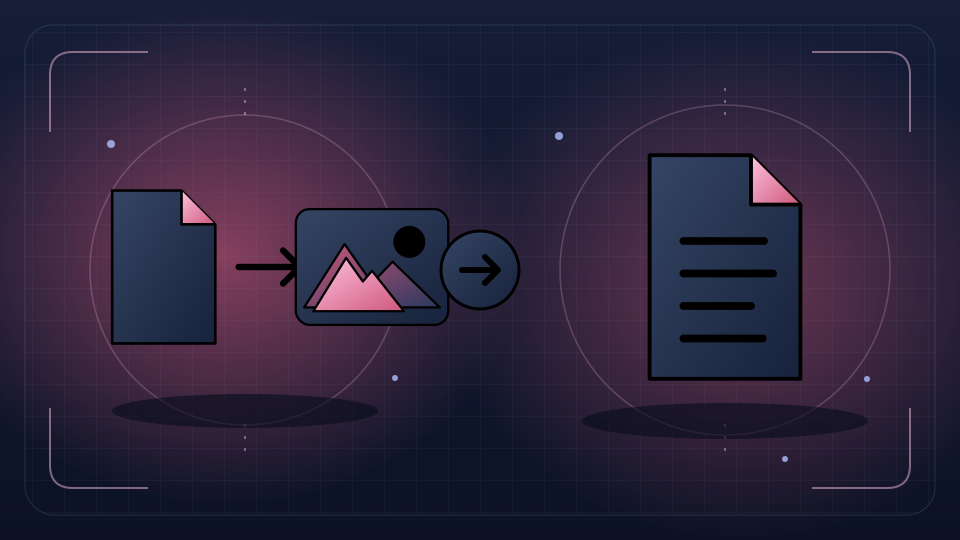
Up to 50 MiB and 100 pages; output limit 100 MiB. Encrypted PDFs are unsupported.
Files stay in your browser. Text becomes paths. Scans remain images; no OCR or automatic tracing.
Results
Files stay in your browser. Text becomes paths. Scans remain images; no OCR or automatic tracing.
How do I use it?
Convert PDF pages to SVG while preserving vector graphics. Download one page as SVG or multiple pages as ZIP.
Example
PDF → SVG / ZIP
Tips
- Inputs can be up to 50 MiB and 100 pages; the total SVG output is limited to 100 MiB. Encrypted PDFs are not supported.
- Text is converted to outlines (paths), so it looks identical everywhere but is no longer editable as text.
- Scanned pages stay embedded images inside the SVG; the tool does not run OCR or trace bitmaps into vectors.
- Choose single pages when you only need one illustration: one page downloads as SVG, several pages download as a ZIP.
Comparisons
SVG stores shapes and scales without quality loss; PNG stores a fixed grid of pixels.
Use SVG for logos, diagrams and print; use PNG for photos and screenshots.
Vector content becomes editable paths; scanned content stays an embedded image.
Tracing a scan into vectors needs a separate tracing tool.
One page downloads as an .svg file; several pages download as a .zip.
Each page becomes its own SVG file.
50 MiB · 100 pages input · 100 MiB SVG output
Encrypted PDFs must be unlocked first.
PDF to SVG guide: vectors, text and scans
SVG (Scalable Vector Graphics) describes images as shapes rather than pixels. Converting a PDF page to SVG is a quick way to reuse a logo, chart, floor plan or illustration on the web or in a design application without losing sharpness.
Select a PDF and start the conversion. Each page becomes its own SVG file. If you convert a single page you get one .svg download; multi-page documents are delivered as a ZIP archive so the files stay in order.
Vector content in the PDF, such as lines, shapes, curves and fills, is preserved as vector paths. You can open the result in Figma, Illustrator or Inkscape and recolor or scale individual elements.
Text is converted to outlines. This guarantees that the result looks exactly like the PDF on any device, even without the original fonts, but it also means that words cannot be edited as text afterwards.
Scanned documents are different: a scanned page is a photo of paper. It stays an embedded image inside the SVG, and the tool does not run OCR or trace it into vectors.
Conversion happens in a separate worker inside your browser. Inputs can be up to 50 MiB and 100 pages, the total SVG output is limited to 100 MiB, and encrypted PDFs must be unlocked before conversion.
FAQ
How do I convert a PDF to SVG?
Select a PDF, start the conversion and download the result. A single page is saved as an SVG file; several pages are packed into a ZIP with one SVG per page.
Does the conversion keep vector quality?
Yes. Lines, shapes and curves that are vectors in the PDF stay vectors in the SVG, so you can scale them without blurring.
Can I edit the text in the SVG?
Text is converted to paths so it looks exactly like the PDF without needing the original fonts. As a result, it cannot be edited as text in an SVG editor.
What happens to scanned PDFs?
A scanned page is a picture, so it remains an embedded image inside the SVG. The tool does not perform OCR or automatic tracing.
What are the limits?
Inputs up to 50 MiB and 100 pages, with a total SVG output of up to 100 MiB. Password-protected PDFs must be unlocked first.
Are my files uploaded?
No. Conversion runs in a separate browser worker on your device, so no conversion server receives your documents.
What can I use the SVG files for?
SVG works well for logos, diagrams, maps and illustrations on websites, in design tools such as Figma, Illustrator or Inkscape, and for laser cutters and plotters.
Why is my SVG file large?
Pages with many tiny shapes, outlined text or embedded photos produce large SVGs. Convert only the pages you need, or use PNG for photo-heavy pages.
Related tools
Embed this tool on your site
<iframe src="https://pinfox.tech/en/tools/general/pdf-to-svg/?embed=1" width="100%" height="720" loading="lazy" style="border:0;border-radius:12px;overflow:hidden" title="PDF to SVG Converter - Pinfox"></iframe>