Image Format Converter
Convert images to JPG, PNG, WebP or AVIF in your browser. Compare the result and download the selected format.
Uses · —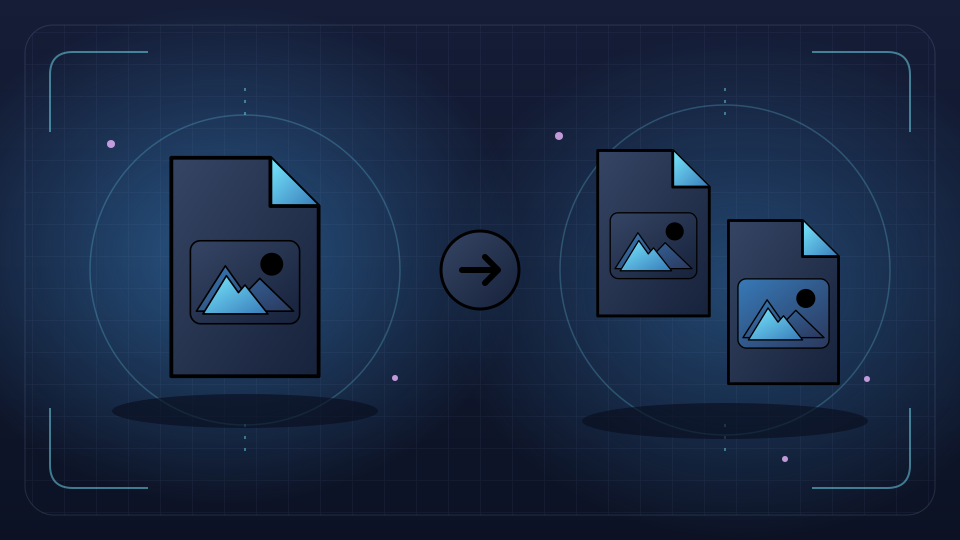
Results
Processing runs in your browser. The file stays on your device.
How does the tool work?
Choose an image and select its output format. Quality is adjustable for JPG, WebP and AVIF.
Output example
Converting transparent PNG to JPG fills the transparent areas with white. Choose PNG, WebP or AVIF to keep transparency.
Which settings should I use?
- Use JPG or PNG for the widest compatibility; compare WebP and AVIF when you need small files for the web.
- Converting a transparent PNG to JPG fills transparent areas with white. Choose PNG, WebP or AVIF to keep transparency.
- Animated GIF or WebP inputs produce a single still image. Pixel dimensions stay the same.
- AVIF is encoded in a background worker and can take a few seconds for large images.
Comparisons
Lossy · no transparency · universal support
Best for photos you share by email or upload anywhere.
Lossless · transparency · larger files
Best for logos, icons, screenshots and editing.
Lossy or lossless · transparency · smaller than JPG/PNG
Best all-round format for modern websites.
Lossy · transparency · usually the smallest files
Great for web performance; slower to encode and less supported by older software.
Image format guide: JPG vs PNG vs WebP vs AVIF
Every image format makes a trade-off between file size, quality, transparency and compatibility. Converting lets you pick the right one for the job, for example turning a heavy PNG photo into a light WebP for a website, or a WebP download into a JPG that older software can open.
Choose an image and select JPG, PNG, WebP or AVIF as the output. For JPG, WebP and AVIF you can adjust quality. The comparison shows both versions and their sizes before you download.
JPG remains the most compatible choice for photos. PNG is lossless and keeps transparency, which makes it ideal for logos, icons and screenshots but heavy for photos. WebP supports both lossy and lossless compression with transparency and is supported by all modern browsers. AVIF usually produces the smallest photos, at the cost of slower encoding.
Transparency needs attention. JPG cannot store it, so transparent areas become white. If your image has a transparent background, convert it to PNG, WebP or AVIF instead.
Animated GIF and WebP files are converted to a single still frame, and the pixel dimensions are not changed. Converting a JPG to PNG makes the file larger but does not bring back detail that JPG compression already removed.
Conversion happens entirely in your browser, with a limit of 25 MiB, 8,192 pixels per side and 16 megapixels. Your images are not uploaded.
FAQ
How do I convert an image to JPG, PNG, WebP or AVIF?
Choose an image, select the output format, adjust quality if you like, compare the result and download it. No signup is needed.
Can I convert HEIC or other formats?
The tool accepts any image your browser can open. Most browsers open JPG, PNG, WebP, GIF, BMP and AVIF; HEIC support depends on the browser and operating system.
Will transparency be kept?
PNG, WebP and AVIF keep transparency. JPG does not support it, so transparent areas are filled with white.
Which format gives the smallest file?
For photos, AVIF is usually the smallest, followed by WebP and then JPG. For simple graphics, PNG or lossless WebP can be smaller than lossy formats.
Does converting change image quality?
Converting to a lossy format (JPG, WebP, AVIF) re-encodes the pixels and can introduce small artifacts. Converting to PNG is lossless, but it cannot restore detail already lost in a JPG.
Are my images uploaded?
No. Conversion runs in your browser and the file never leaves your device.
What is the file limit?
Images up to 25 MiB, 8,192 pixels per side and 16 megapixels.
Why does it say my browser cannot encode this format?
Some browsers cannot create certain formats, most often AVIF or WebP in older versions. Update your browser or choose another output format.
Related tools
Embed this tool on your site
<iframe src="https://pinfox.tech/en/tools/general/image-format-converter/?embed=1" width="100%" height="720" loading="lazy" style="border:0;border-radius:12px;overflow:hidden" title="Image Format Converter | JPG, PNG, WebP, AVIF - Pinfox"></iframe>