PNG Background Remover
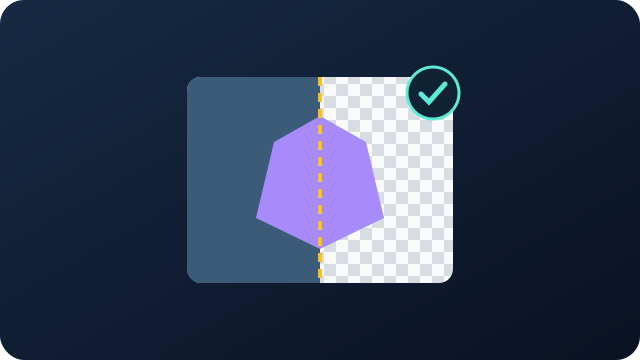
The remover makes pixels transparent only when they match the chosen color closely and connect to the image border. Automatic detection finds the dominant edge color. You can also use the color control or sample the original image with the eyedropper.
With color picking enabled, click the background in the preview.
Pixel dimensions, aspect ratio and existing transparency are preserved. Processing stays on your device; the image is not uploaded.
Your preview appears here
Cursor position · live detail
Move over the image; click a point to lock the detail view there.
Processed image preview
Pixel dimensions, aspect ratio and existing transparency are preserved. Processing stays on your device; the image is not uploaded.
How does it work?
Color tolerance ranges from 0 to 180 and starts at 48. Edge softness ranges from 0 to 100 and starts at 18. Soft transitions reduce background color spill while similar-colored regions enclosed inside the subject remain protected from the border flood fill.
Formula
Example
The detail preview follows the pointer until you click to lock a point. Restore original returns the initial image. Downloaded PNGs preserve the original pixel dimensions, aspect ratio and existing transparency. The processing does not resize or stretch the image.
Tips
- Increase for leftover edges; decrease if the subject disappears. Only background connected to the outer edge is processed.
- Move over the image; click a point to lock the detail view there.
Comparisons
0–180 / 48
Increase for leftover edges; decrease if the subject disappears. Only background connected to the outer edge is processed.
0–100 / 18
Cleans translucent edges while preserving similar colors inside the subject.
PNG
Pixel dimensions, aspect ratio and existing transparency are preserved. Processing stays on your device; the image is not uploaded.
User guide
This tool opens your local file in the browser using file selection or drag and drop. Inspect the preview, adjust the available settings, then download the PNG result to your device. No account or file upload is required.
Files are processed only in the open tab’s memory. Closing the page discards the working result, so download anything you want to keep first. Your browser must decode the file and your device needs enough memory; download location follows browser settings.
The remover makes pixels transparent only when they match the chosen color closely and connect to the image border. Automatic detection finds the dominant edge color. You can also use the color control or sample the original image with the eyedropper.
Color tolerance ranges from 0 to 180 and starts at 48. Edge softness ranges from 0 to 100 and starts at 18. Soft transitions reduce background color spill while similar-colored regions enclosed inside the subject remain protected from the border flood fill.
The detail preview follows the pointer until you click to lock a point. Restore original returns the initial image. Downloaded PNGs preserve the original pixel dimensions, aspect ratio and existing transparency. The processing does not resize or stretch the image.
FAQ
How do I add a file?
This tool opens your local file in the browser using file selection or drag and drop. Inspect the preview, adjust the available settings, then download the PNG result to your device. No account or file upload is required.
Is the image uploaded?
Files are processed only in the open tab’s memory. Closing the page discards the working result, so download anything you want to keep first. Your browser must decode the file and your device needs enough memory; download location follows browser settings.
How is the background chosen?
The remover makes pixels transparent only when they match the chosen color closely and connect to the image border. Automatic detection finds the dominant edge color. You can also use the color control or sample the original image with the eyedropper.
What do tolerance and softness do?
Color tolerance ranges from 0 to 180 and starts at 48. Edge softness ranges from 0 to 100 and starts at 18. Soft transitions reduce background color spill while similar-colored regions enclosed inside the subject remain protected from the border flood fill.
Is original resolution kept?
The detail preview follows the pointer until you click to lock a point. Restore original returns the initial image. Downloaded PNGs preserve the original pixel dimensions, aspect ratio and existing transparency. The processing does not resize or stretch the image.
How do I use the eyedropper?
With color picking enabled, click the background in the preview.
What if the subject disappears?
Increase for leftover edges; decrease if the subject disappears. Only background connected to the outer edge is processed.
How do I lock the detail view?
Move over the image; click a point to lock the detail view there.
Related tools
Embed this tool on your site
<iframe src="https://pinfox.tech/en/tools/general/png-background-remover/?embed=1" width="100%" height="720" loading="lazy" style="border:0;border-radius:12px;overflow:hidden" title="PNG Background Remover - Pinfox"></iframe>