PDF to Word Converter
Convert selectable PDF text into an editable Word DOCX file. Preview the text and download the document.
Uses · —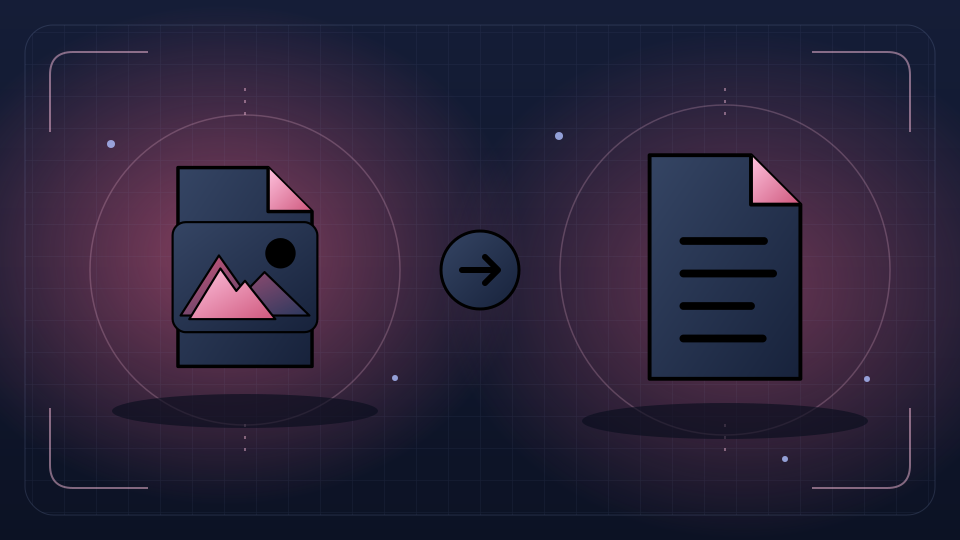
Results
Processing runs in your browser. The file stays on your device.
How does it work?
Select a PDF and convert it. Selectable text is extracted into DOCX paragraphs.
Example
You can edit the text of a digital PDF report in Word. Images, tables and the original layout are omitted.
What should I check?
- The file limit is 30 MiB and up to 150 pages. Password-protected PDFs must be unlocked first.
- Only selectable text is converted. Scanned pages need OCR; the tool skips pages without text and tells you how many.
- Images, tables and the original layout are not recreated. Expect clean editable paragraphs, not a visual copy.
- In multi-column documents, check the reading order in Word and fix paragraphs that ended up in the wrong place.
Comparisons
Digital PDFs contain real text and convert well; scanned PDFs are pictures of pages.
Scans need OCR before their text can be edited.
This tool extracts text into clean paragraphs; layout converters try to rebuild pages visually.
Text extraction gives easier editing; layout conversion keeps the look but often produces messy formatting.
Conversion processes the whole document at once and keeps page breaks.
Faster and more consistent than copying page by page.
30 MiB · 150 pages
Split very long documents before converting.
PDF to Word guide: what converts and what does not
Converting a PDF to Word is useful when you need to edit, translate or quote the text of a document but no longer have the original file. This tool turns the selectable text of a PDF into an editable DOCX document.
Choose a PDF and start the conversion. The text of each page is extracted into paragraphs and shown in a preview of the first 6,000 characters. When it looks right, download the DOCX file and open it in Word, Google Docs or LibreOffice.
The goal is clean, editable text rather than a visual copy. Images, tables, columns and decorative layout are not recreated. Each source page with text is followed by a page break so you can still see where pages began.
Only selectable text can be converted. A scanned PDF is a set of photos of paper and has no text layer. Such pages are skipped and the tool reports how many. Run OCR on scanned documents first, then convert them.
Check the reading order in multi-column documents such as newsletters or academic papers. Text extraction follows the order stored in the PDF, which is not always the order you read on screen.
The file limit is 30 MiB and 150 pages. Everything runs in your browser, so contracts, CVs and reports are converted without being uploaded to a server.
FAQ
How do I convert a PDF to Word for free?
Choose a PDF and convert it. The tool extracts the selectable text into paragraphs, shows a preview and lets you download an editable DOCX file.
Will the Word file look exactly like my PDF?
No. The tool focuses on editable text: images, tables, columns and the original layout are not recreated. It is ideal when you need to reuse or edit the wording.
Can it convert scanned PDFs?
Scanned pages are images and contain no selectable text, so they need OCR first. Pages without readable text are skipped and the number of skipped pages is reported.
How can I tell if my PDF has selectable text?
Open it in a PDF reader and try to highlight a sentence with the mouse. If you can select and copy the words, the tool can convert that page.
What are the limits?
Files up to 30 MiB with a maximum of 150 pages. Encrypted PDFs need to be saved as an unlocked copy first.
Is my document uploaded?
No. The text is extracted in your browser and the DOCX file is created on your device.
How are pages separated in the DOCX?
Each source page that contains text is followed by a page break, so you can still find where the original pages began.
Which programs can open the result?
The DOCX file opens in Microsoft Word, Google Docs, LibreOffice Writer, Pages and other editors that support the Word format.
Related tools
Embed this tool on your site
<iframe src="https://pinfox.tech/en/tools/general/pdf-to-word/?embed=1" width="100%" height="720" loading="lazy" style="border:0;border-radius:12px;overflow:hidden" title="PDF to Word Converter - Pinfox"></iframe>