3D Model to Sprite Sheet Converter
Bake animated GLB or embedded glTF into a transparent 2D sprite sheet. Select clips, preview the character in 3D and 2D, then download a PNG atlas and JSON with frame coordinates, angles and sample times.
Uses · —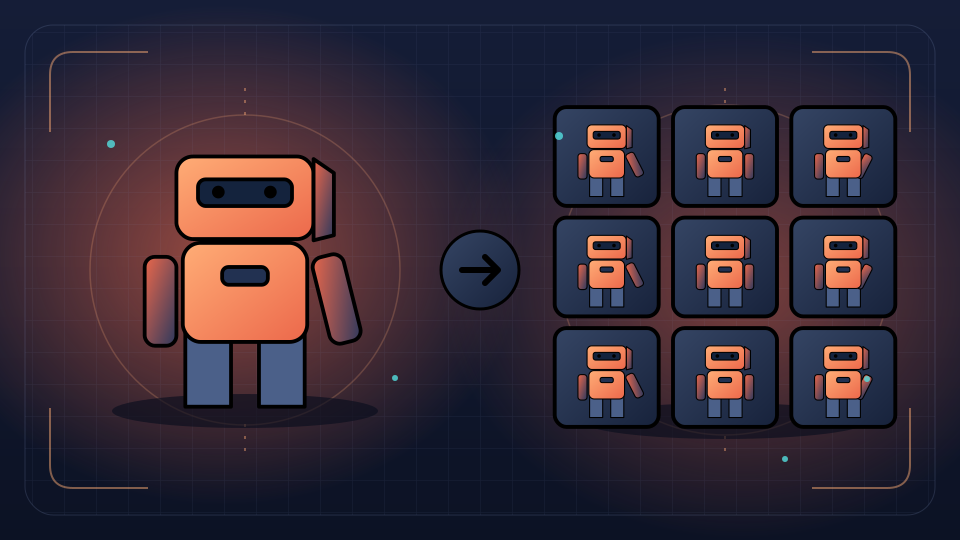
PNG atlas and frame layout
Conversion runs locally with WebGL. Models and exported files are not uploaded to Pinfox. Large atlases and complex models may exceed device memory.
How to convert a 3D model to a sprite sheet
The tool opens with an animated sample model. To use your own model, choose an animated GLB or a glTF with embedded resources.
Formula
- Select the clips to bake and assign idle, walk, attack or death roles if useful.
- Switch between 3D and 2D preview. Set the atlas size, frames per angle and sprite framing.
- Generate the PNG. Download the matching layout JSON for exact pixel rectangles.
Example atlas layout
Three animation clips at five angles and six frames per angle produce 90 sprites. A 2048 × 2048 PNG uses a 10 × 10 grid with 204 × 204 pixel cells. The JSON lists only the 90 rendered frames. The blank cells and the 8-pixel remainder at the right and bottom are outside the animation.
Sprite framing and export tips
- Disable fitting per clip when idle and walk should keep a consistent apparent scale. Inspect oversized weapons and moving limbs in the 2D preview before exporting.
- More clips or samples leave less area per frame at a fixed atlas size. Try a short export before generating a 4096-pixel atlas.
- Try nearest-neighbor filtering for hard pixel edges. Use the cell size in the JSON rather than dividing the full PNG dimensions when an edge remainder is present.
Comparisons
Compact PNG
Good for short clips, fewer frames and small on-screen characters.
Large PNG
More pixel area per frame with the same clip and frame selection.
Lighting control
Use built-in lights or load an optional environment for reflections.
Sprite sheet workflow for Unity, Godot and 2D games
A sprite sheet captures how a model looks from a camera at selected animation poses. A UV texture atlas packs the model’s surface textures for 3D rendering. This converter produces the former for 2D characters, isometric prototypes and pre-rendered effects.
Each clip is rendered at yaw angles of 0°, 45°, 90°, 135° and 180°, with the camera elevated by 45°. Frames follow sample order within each angle. The 2D preview can mirror the opposite side. Check asymmetric props and markings before using mirrored sprites in a game.
In Unity, import the PNG as Sprite (2D and UI) and set Sprite Mode to Multiple. Slice with Grid by Cell Size using the JSON cellSize. Exclude empty cells and use the sample times to match the original clip speed.
In Godot, create a SpriteFrames resource on AnimatedSprite2D. For grid slicing, crop any leftover edge pixels to columns × cellSize by rows × cellSize first. The JSON rectangles can also define individual AtlasTexture regions directly.
Use per-clip framing for a fuller silhouette. Use shared framing when a character should stay the same size across animation changes. A looping clip may have identical first and last poses, so skip the duplicate endpoint during playback if it causes a pause.
A GLB typically contains geometry, textures and animations in one file. Embed buffers and textures if you export glTF. You can inspect a static model in 3D, but the exporter requires at least one animation clip.
Godot Engine · 2D sprite animationUnity Manual · Sprite EditorFAQ
Can I convert a GLB to a PNG sprite sheet?
Yes. Open an animated GLB, select its clips and generate a PNG. Empty areas around the rendered model are transparent.
Which GLB and glTF files work?
Use GLB or self-contained glTF up to 100 MB. Embed textures and buffers. Re-export assets that require Draco, Meshopt or KTX2 decoding without those compressions.
Which directions are rendered?
Every clip is captured from front, front-right, right, back-right and back at 45° elevation. The additional camera presets are for preview.
How many sprites will the converter generate?
Multiply the number of selected clips by 5 angles and the frame count per angle. Choose 3, 4, 5, 6 or 8 frames.
How do I slice the sheet for a 2D game engine?
Use the layout JSON’s cellSize for a grid or the x, y, width and height of each individual frame. Empty cells are not listed.
Can I rename animation clips?
Choose a role in the clip mapping panel. Download the renamed GLB to save the assigned clip names in a separate file.
Does the tool upload my model?
Model conversion runs in the browser. Optional HDRI presets download a lighting image. They do not send the model.
Why did the indexed PNG option fall back?
Indexed PNG is attempted when the atlas contains at most 256 distinct color and alpha combinations and the browser supports the encoder. Otherwise the tool exports regular transparent PNG.
When should I choose a 4096 atlas?
It leaves more room per sprite at the same frame count but uses more memory. Try 1024 or 2048 first on mobile.
Can I export a model without animation?
A static model can be viewed in 3D. PNG atlas export requires at least one animation clip.
How do I make a sprite sheet from an FBX model?
Use the related 3D Format Converter to export the FBX as GLB. Verify that the animation clips are present in the exported GLB, then open it here.
Related 3D tools
Embed this tool on your site
<iframe src="https://pinfox.tech/en/tools/general/model-to-sprite-sheet/?embed=1" width="100%" height="720" loading="lazy" style="border:0;border-radius:12px;overflow:hidden" title="3D Model to Sprite Sheet Converter | GLB and glTF to PNG - Pinfox"></iframe>